Features
Floor plans & devices
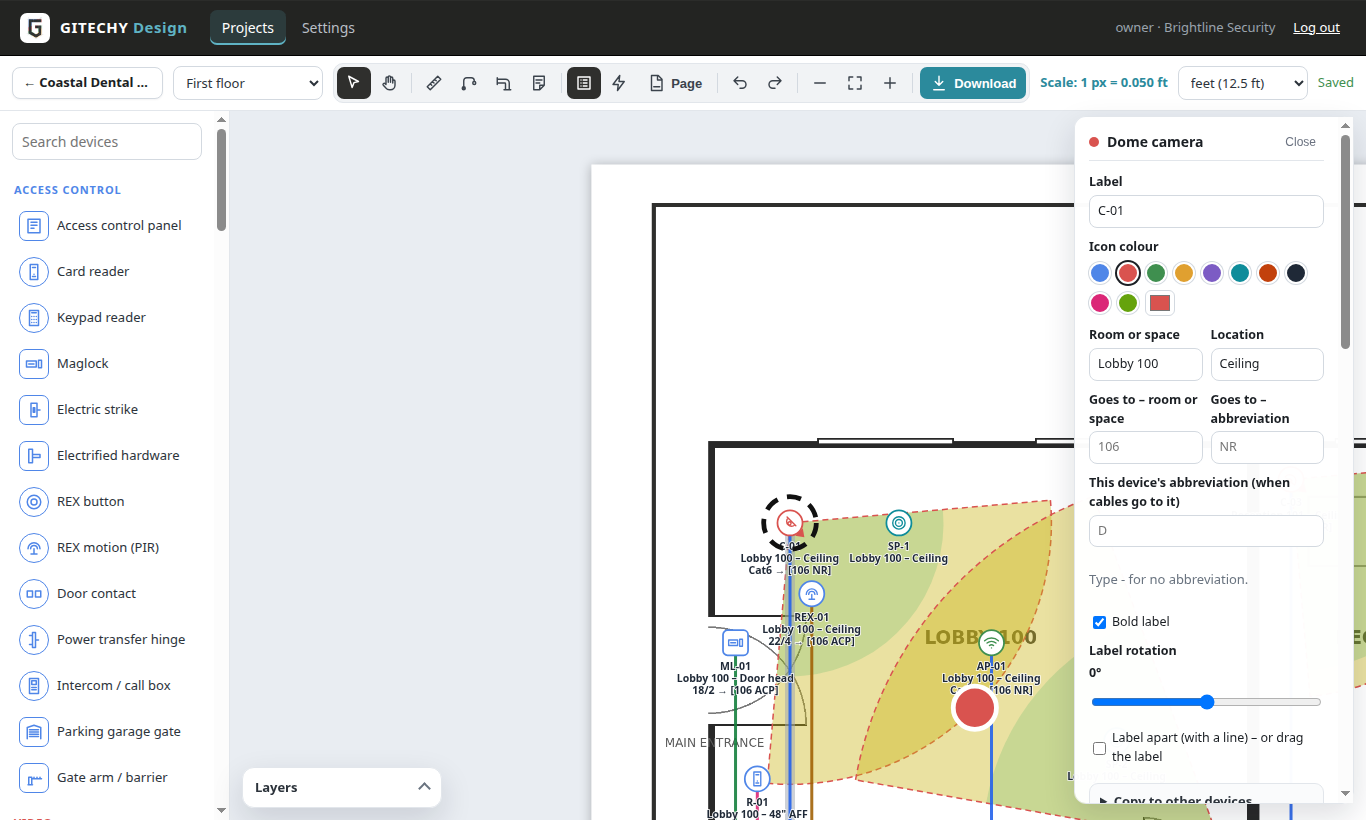
Upload the customer’s floor plan, set the scale and place the devices – with real symbols, labels and the details you need for the quote.
PDF, PNG or JPG
Every PDF page becomes a sheet, read in your browser. Rename and reorder sheets per project.
Scale in one step
Draw a line over a door or wall of known length – feet or metres, set per company.
89 device types
Access control, video, network, power, intrusion, audio & video (speakers, projectors, TVs), computers & IT, electrical, conduit fittings, structures and building items – each with its own symbol; any colour you like.
Device details
Label (e.g. D-101), make, model, part number, mounting height, PoE watts, amps, door, lens and resolution.
Layers
Hide or lock categories while you work – or for a cleaner print.
Undo, duplicate, keys
Undo and redo, duplicate, arrow keys to nudge and shortcuts for every tool. Autosave as you go.
How it works
1
Upload
Drop the PDF on the project. Each page becomes a sheet.
2
Scale
Draw one line over a known length and type it.
3
Place
Pick a device in the palette and click on the plan.
4
Describe
Add the label and details – they feed the legend, schedules and parts list.
Questions
Can I draw walls?
GITECHY Design works on the plans you already have, but you can add walls, doors, windows, stairs and furniture as simple shapes with their own width and length – handy for sketches and changes.
Can I copy details to many devices?
Yes – copy the room, location, cable, destination, make and model, colour or label rotation to the devices you click, to every device of a type or to the whole sheet.
How big can the plans be?
Large architectural sheets work fine; very large PDFs are read page by page in your browser.
Design your next job with GITECHY Design
One flat price per company – unlimited designers.